Access the Donor Portal

Access the Donor Portal

View your giving history, update recurring gifts, and access receipts in one place

Name(Required)

Manage Your Donations in the Donor Portal

The Donor Portal is a secure, self-service space where supporters can easily review and manage their giving in one place. It can be accessed anytime, anywhere, from any device.

Through the portal, donors can:

  • View their donation history and download receipts.
  • Update recurring gifts, including amounts, schedules, and payment methods.
  • Edit their contact details.
  • Write and personalize messages for tribute donations.
  • Discover more ways to support your mission.
  • Manage fundraising pages during peer-to-peer campaigns.
How to Access the Donor Portal

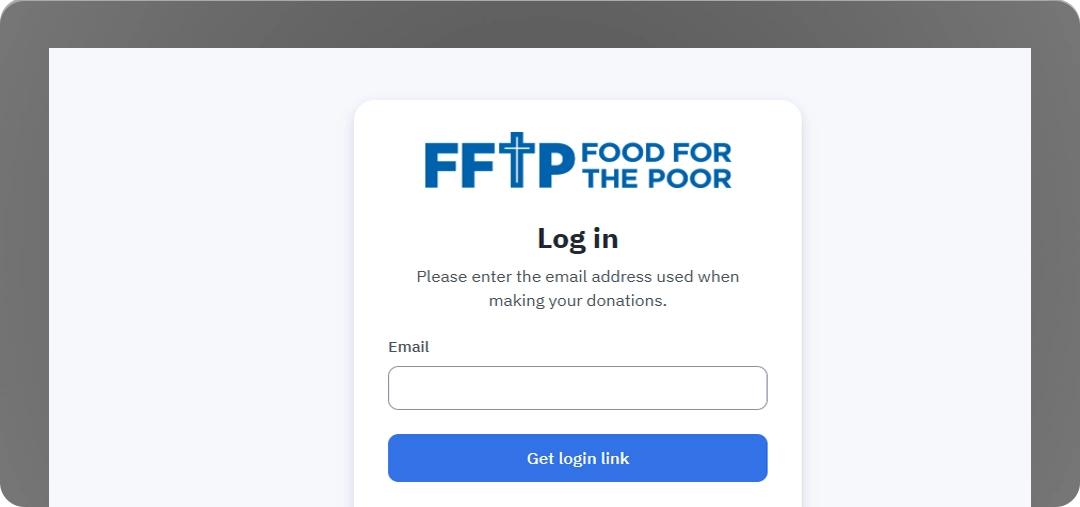
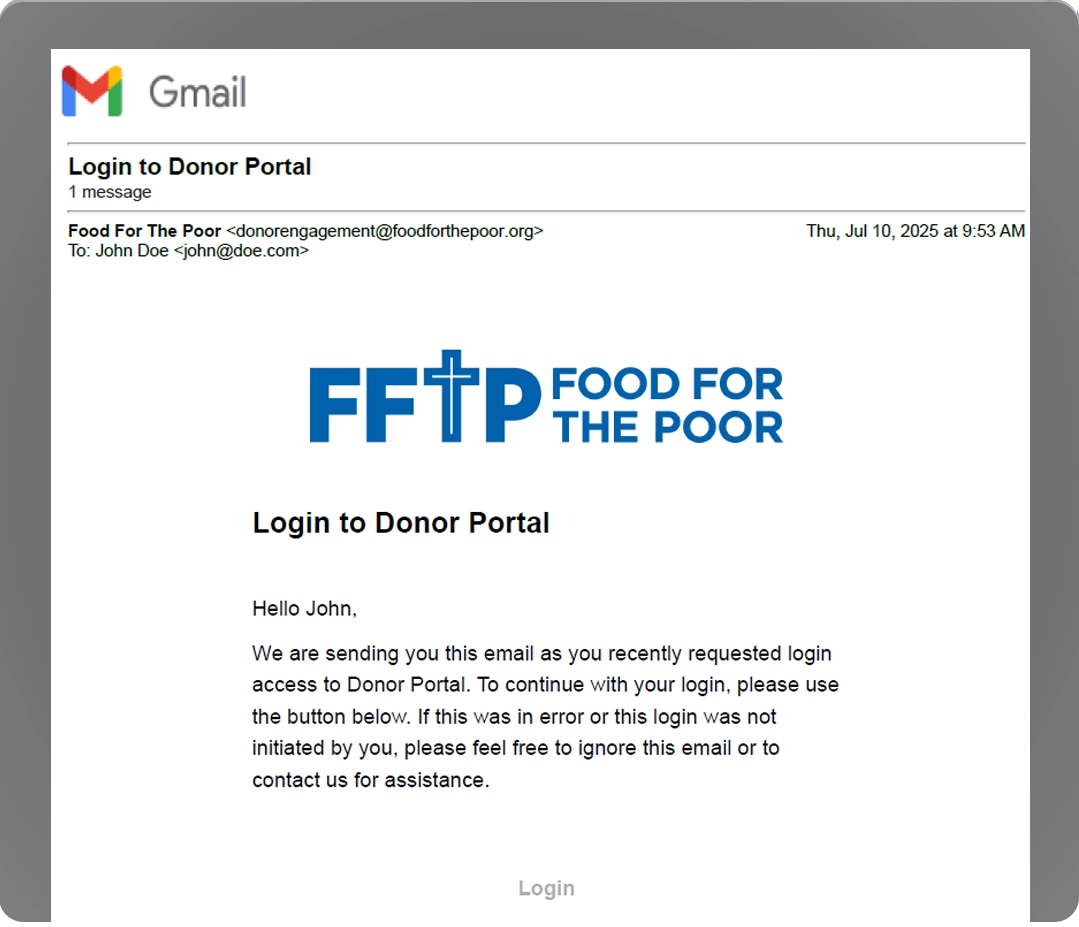
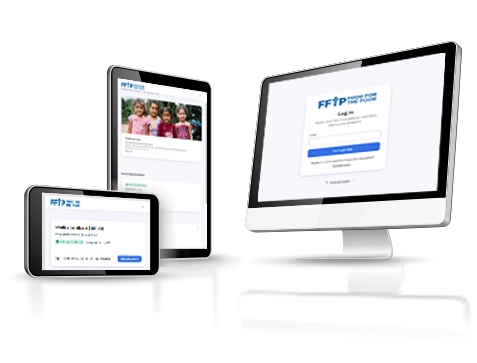
Accessing the Donor Portal is quick and secure. Supporters start by visiting Food for the Poor’s Donor Portal login page, then enter the same email address they used for their donation and submit the form. If that email is linked to a past gift, they’ll receive a secure “magic link” email.

Donor portal login screen

To access the Portal, click the “Manage My Donation” button in the email footer to go directly to your personal Donor Welcome Page. For your security, the link is active for only 24 hours, but you can request a new one at any time by repeating the steps above. The email will come from [email protected]—please add this address to your contacts or address book to ensure you receive all Donor Portal messages and updates.

Magic link email example

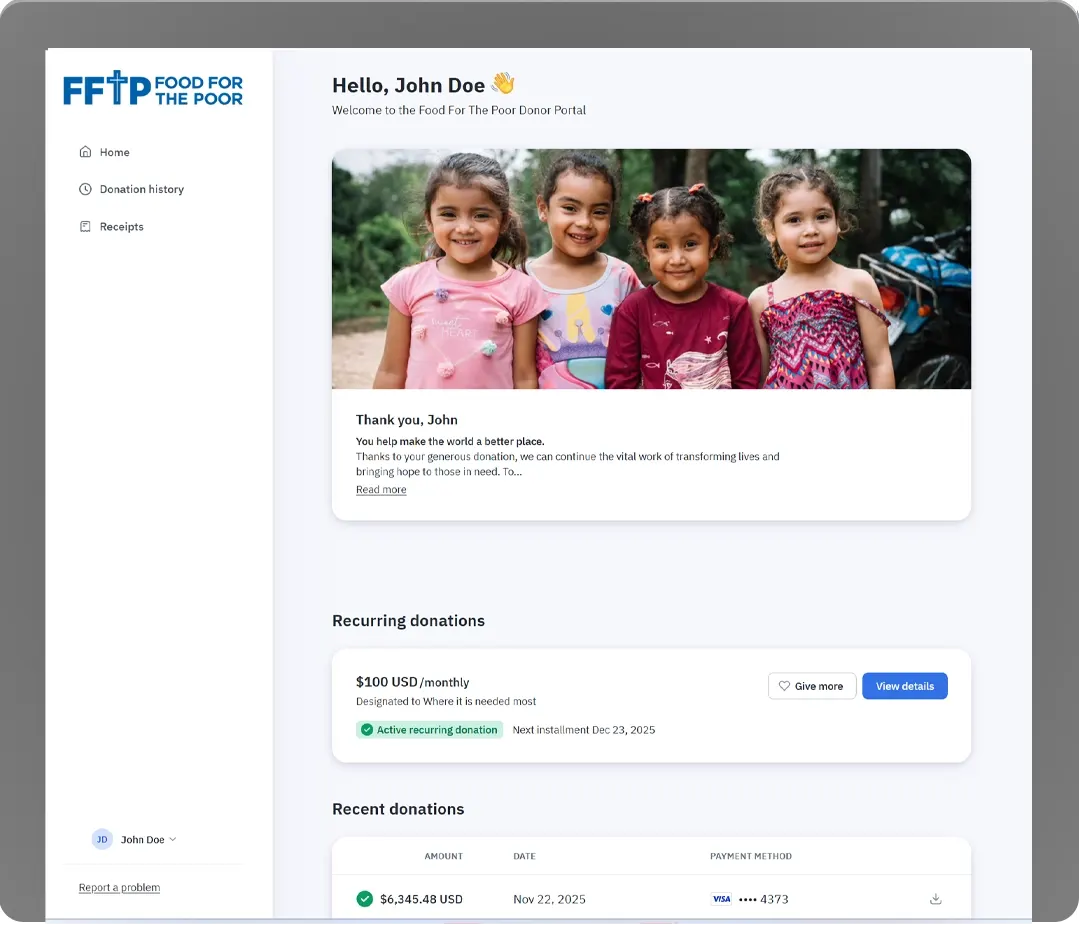
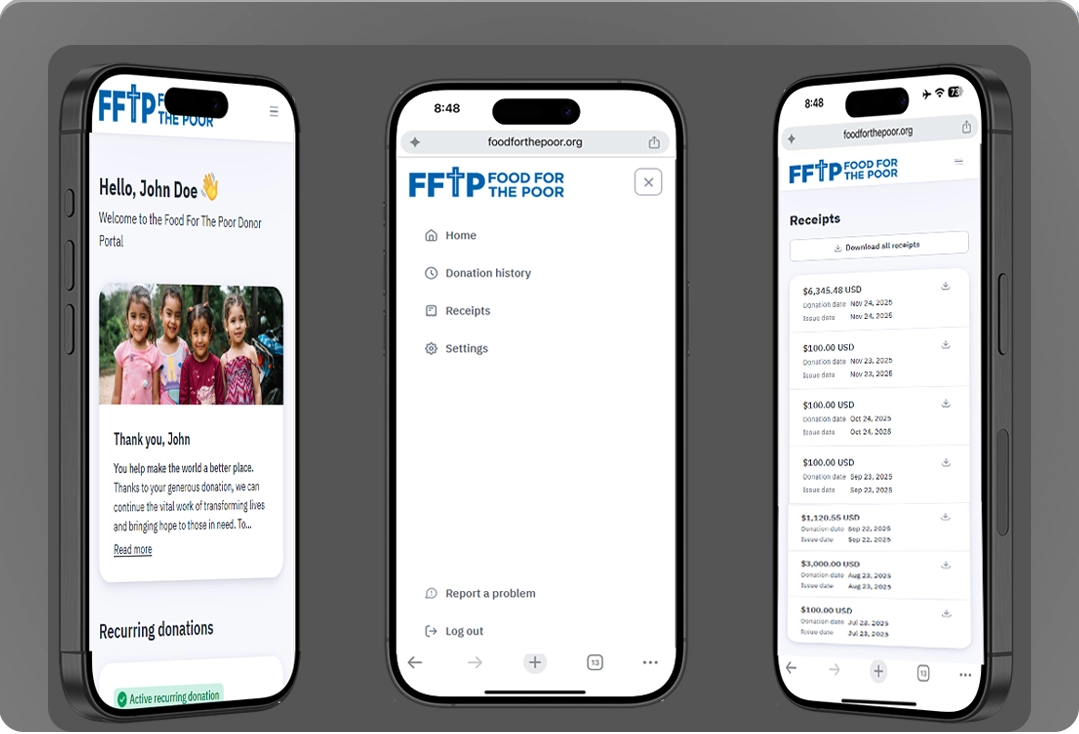
After you click “Manage My Donation,” you’ll get access to the Donor Portal Welcome Page, where you can see a quick summary of your giving activity and access links to your donation history, receipts, and profile details.

Donor portal welcome page

Find and Download Your Receipts

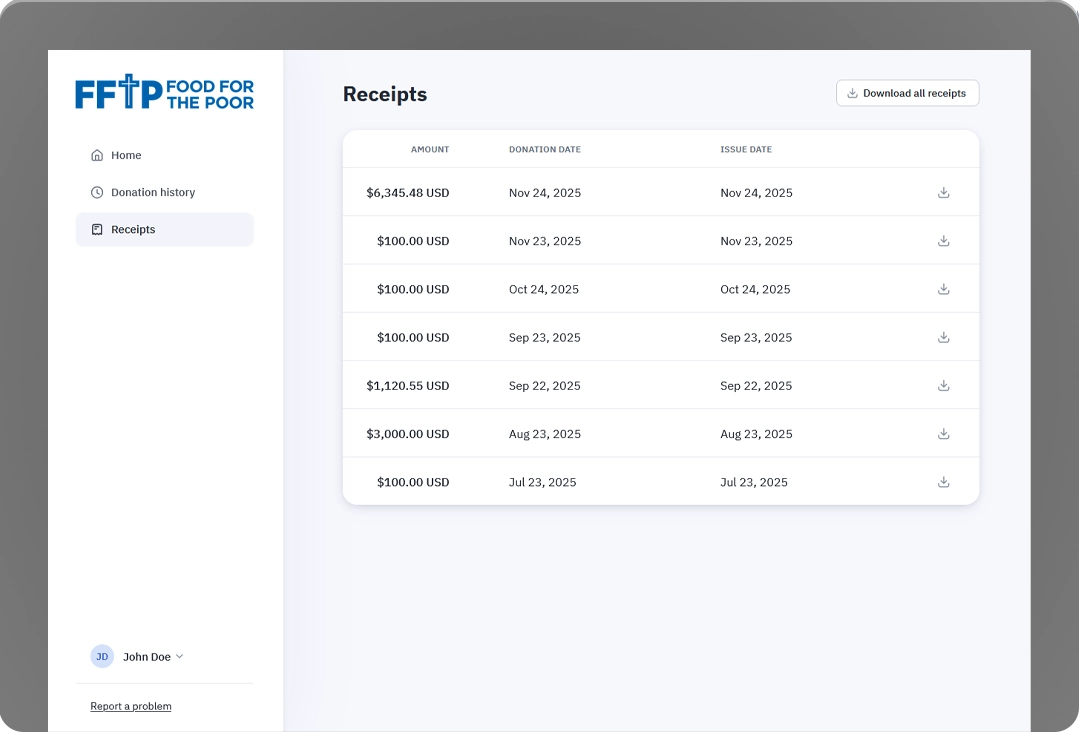
Donors can access all of their donation receipts by selecting Receipts from the left-hand navigation. The Receipts page includes:

  • A separate receipt for each individual donation
  • Annual receipts
  • An option to download all receipts for a selected year as a ZIP file
image.png

On mobile, the Receipts menu option is located in the top-right menu (three horizontal lines).

image two

Update Your Credit Card or Change Your Payment Method

For donors with a recurring giving plan, we'll email you if the credit card on file is expired or will expire soon. If a payment fails because your card is expired, you'll also see a "Credit card expired" alert highlighted in your Donation History list.

Credit card expired alert

To update your card or change your payment method :

  • Go to Donation History.
  • Click the recurring donation that shows the expiration alert to open the plan details.
  • In the Details section, find Payment method and click Edit.
  • Enter your updated credit card information and save.
  • You'll receive these notices at the email address connected to your recurring plan.

Note: Credit card updates only affect recurring donations. One-time donations that were completed successfully don't need updates.

Edit payment method screen

Cancelling, Adjusting or Pausing a Recurring Donation Plan

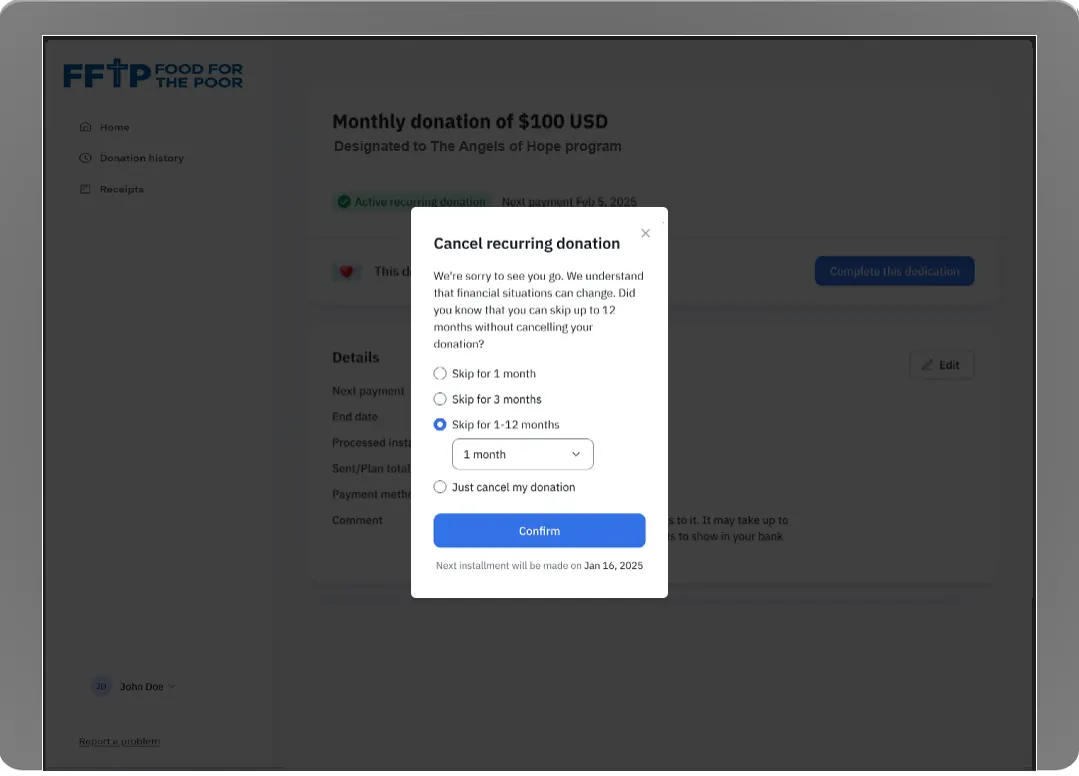
To cancel a recurring donation plan, open the plan you want to change and go to its Details page. Click Edit to access your options. From there, you can choose to cancel the plan or pause/skip one or more installments before confirming your selection.

Recurring donation edit options

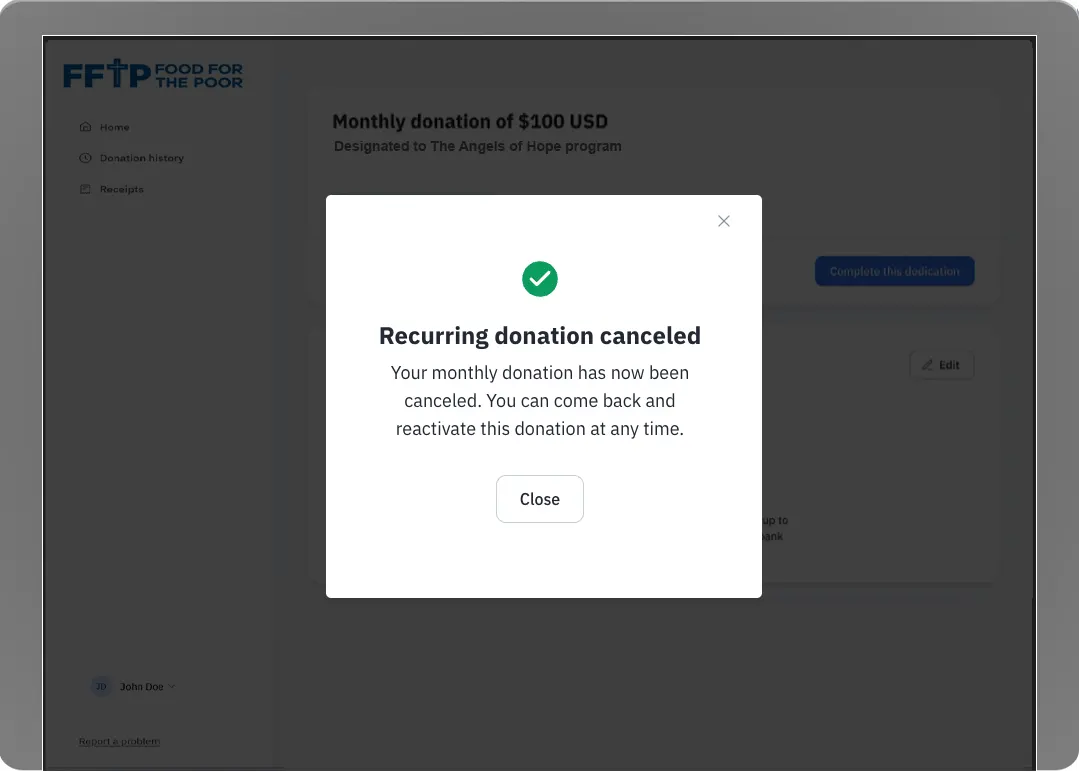
After you complete the process, you'll see a confirmation message on screen, and we'll also send a confirmation email.

Recurring donation cancellation confirmation