Start a Donation Plan

Start a Donation Plan
A Simple, Flexible Way to Make a Lasting impact

Quick Donation Form

$10
$2,000
donation-plan-img

Become a Sustainer

Your Ongoing Support Helps Families Escape Poverty

Making a donation is easy and flexible through our secure online donation form, with multiple payment options available—from credit cards to mobile wallets. Donors can choose the giving option that best fits their goals, whether that's a monthly or quarterly recurring donation plan, or a contribution directed where the need is greatest. For those seeking a more focused impact, donations can also be designated to support specific programs.

Donation plans make it simple to give over time while staying fully in control. Supporters can pause, modify the donation amount, or stop their donations at any time, ensuring giving remains convenient and adaptable. No matter how you choose to give, every contribution helps create lasting change for families and communities in need.
Customize Your Plan

$10
$2,000

How to Access the Donor Portal to Modify, Pause, or Cancel Your Plan

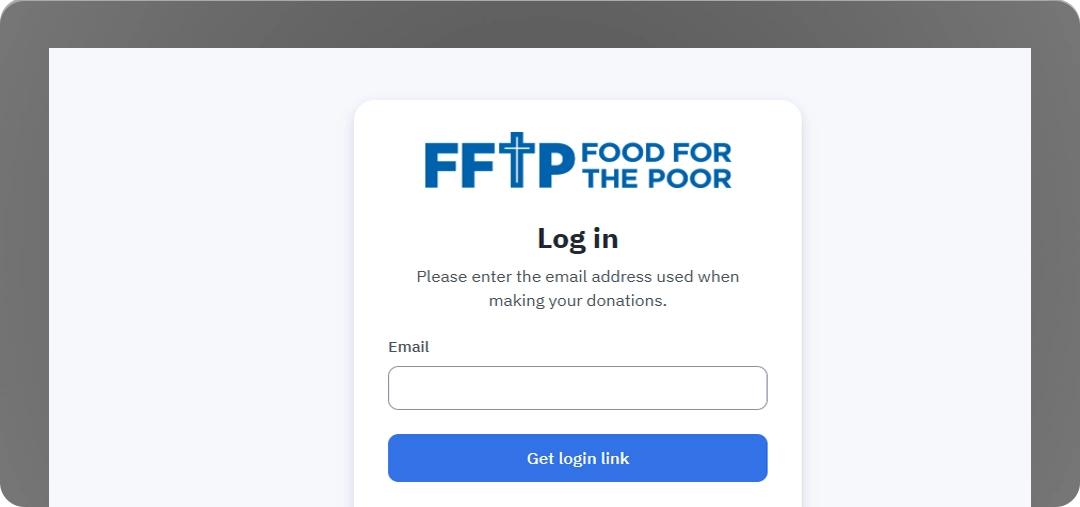
Accessing the Donor Portal is quick and secure. Supporters start by visiting Food for the Poor’s Donor Portal login page, then enter the same email address they used for their donation and submit the form. If that email is linked to a past gift, they’ll receive a secure “magic link” email.

Donor portal login screen

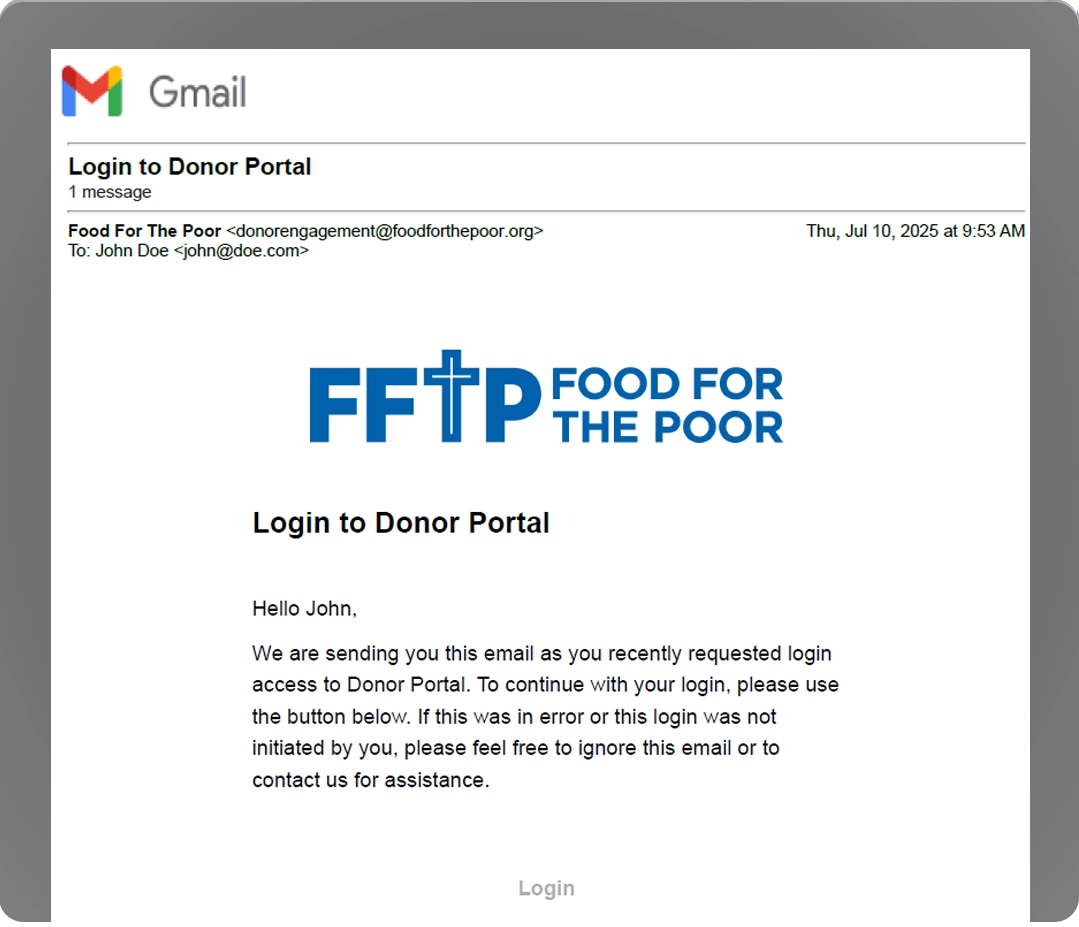
To access the Portal, click the “Manage My Donation” button in the email footer to go directly to your personal Donor Welcome Page. For your security, the link is active for only 24 hours, but you can request a new one at any time by repeating the steps above. The email will come from [email protected]—please add this address to your contacts or address book to ensure you receive all Donor Portal messages and updates.

Magic link email example

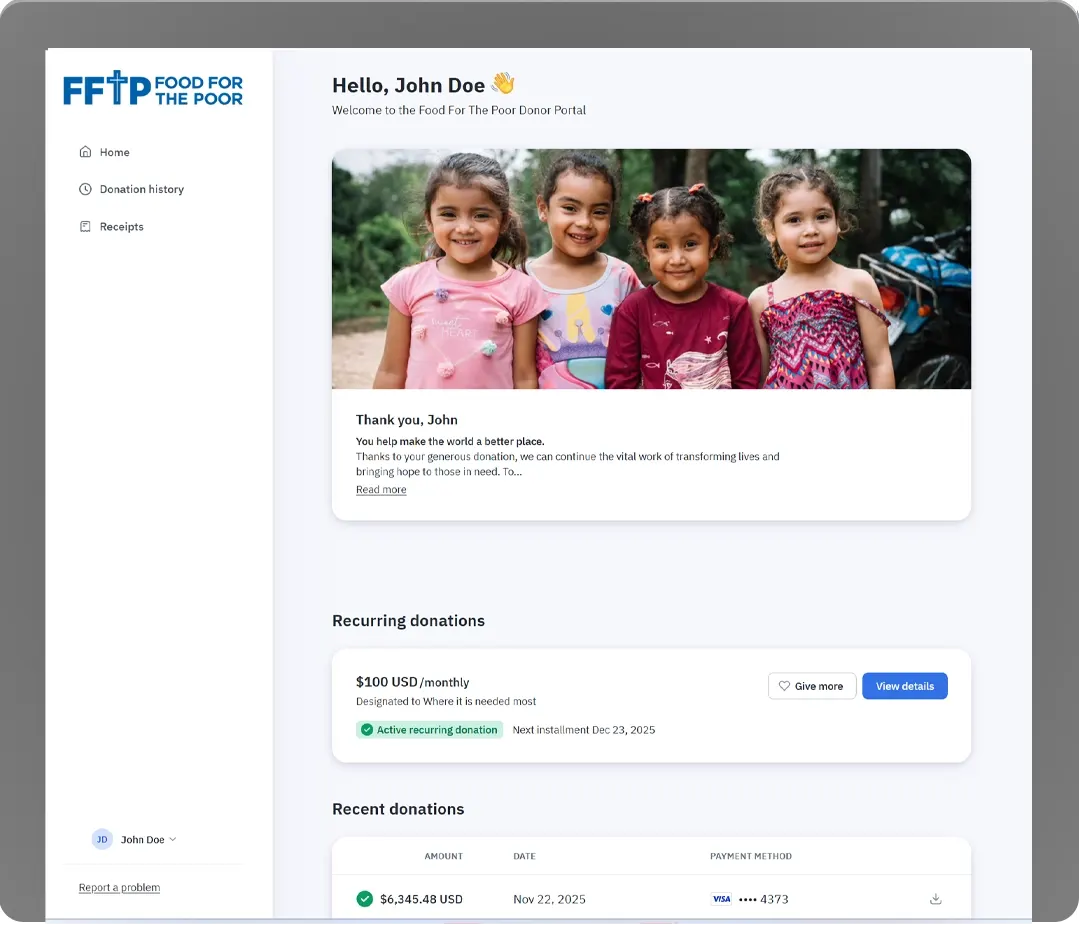
After you click “Manage My Donation,” you’ll get access to the Donor Portal Welcome Page, where you can see a quick summary of your giving activity and access links to your donation history, receipts, and profile details.

Donor portal welcome page

Cancelling, Adjusting or Pausing a Recurring Donation Plan

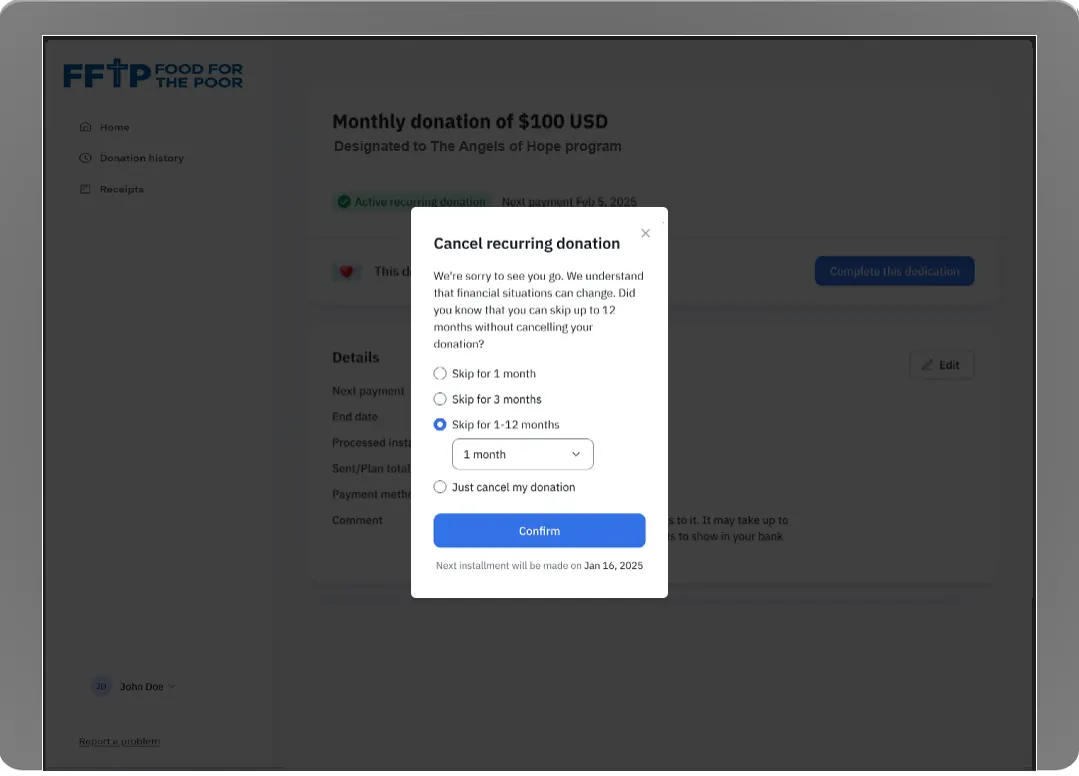
To cancel a recurring donation plan, open the plan you want to change and go to its Details page. Click Edit to access your options. From there, you can choose to cancel the plan or pause/skip one or more installments before confirming your selection.

Recurring donation edit options

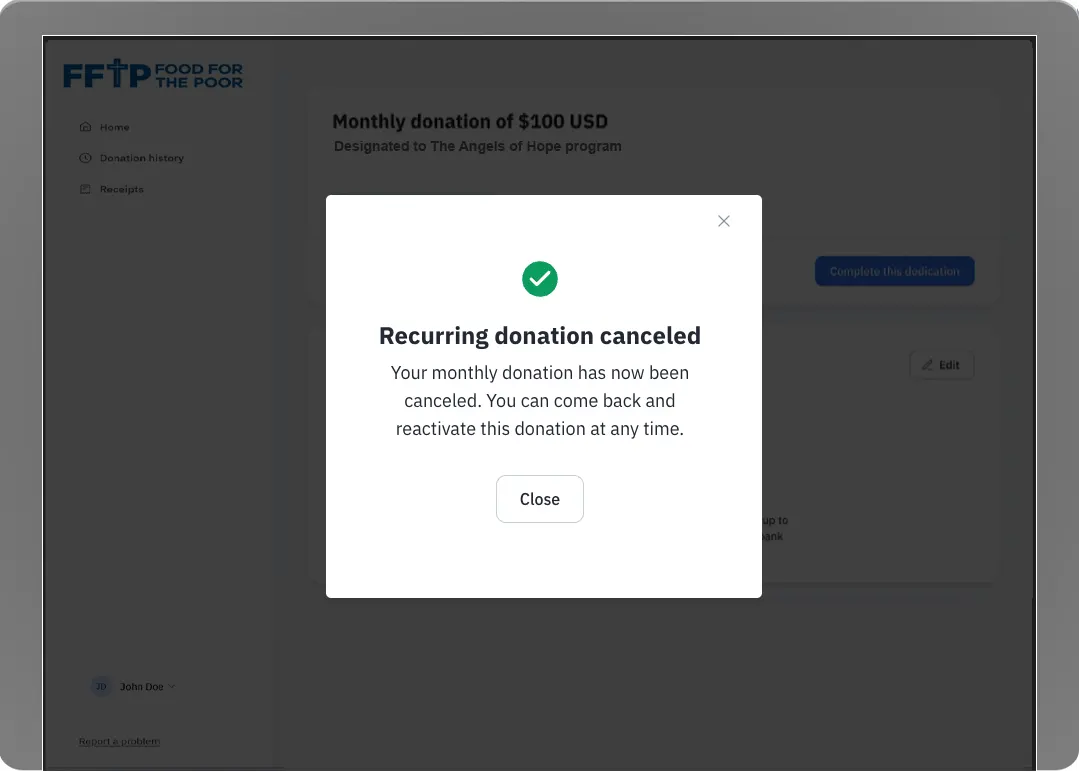
After you complete the process, you'll see a confirmation message on screen, and we'll also send a confirmation email.

Recurring donation cancellation confirmation